Check nutrition and allergens from your recipe.
Match each ingredient to a nutrient source and check its allergens. You see nutrition per portion, what is still missing, and a label that will not print until every line has a confirmed source. Whether the food suits a given guest is still your kitchen’s call to review.
Founding offer open now: 15 days free, then $49/month per kitchen, locked in for life. Limited to the first 20 kitchens. Regular price $99/month per kitchen; unlimited crew. Prices plus tax. Card required; $0 today. Cancel before day 16 in Settings → Billing, no call required. What to prepare · Plan and team limits
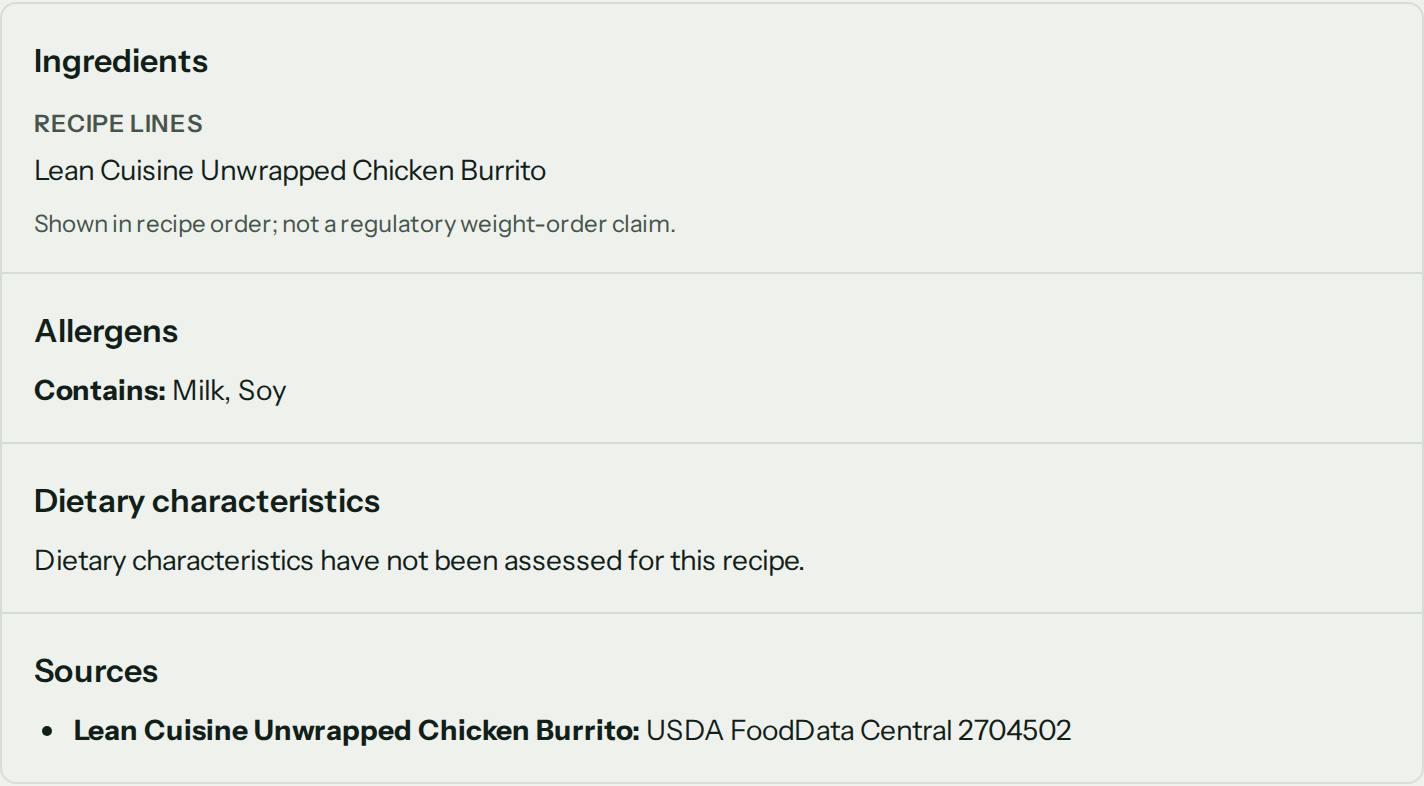
Captured CostCook recipe

One question about the polenta, two new spreadsheets.
A customer asks how much protein is in the polenta and whether it contains milk. Keep those answers apart from the recipe and the next ingredient swap puts both of them out of date.
The ingredient line that carries the cost should carry the nutrient source and the allergen evidence too.
Nutrition facts that stop where the source stops.
Pick the USDA profile that matches the ingredient in the state you use it. That source follows it through sub-recipes and quantities, down to a portion of the dish.
- Serving basis
- Per portion or per batch
- Headline values
- Calories, protein, carbs, fat
- Full panel
- Fifteen Nutrition Facts nutrients
- Missing evidence
- Partial or incomplete, never zeroed

A name that sounds right is not an allergen answer.
The evidence lives on the ingredient. Reviewed tags roll up into every recipe that uses it, and anything not yet reviewed stays flagged all the way to pack-out.
- 01
Where it comes from
A supplier record, the package label or your own kitchen’s review says what is in it.
- 02
It stays on the ingredient
Nine allergen tags, the major US allergens, stick to the ingredient itself, not to its name.
- 03
The recipe adds it up
A dish picks up the allergens of its ingredients and sub-recipes, and anything not yet reviewed still shows.
- 04
The pack list shows it
Allergen badges go on the pack list, where the person loading the van needs the answer.
A matching name never makes up food-safety data. A chef who overrides a tag writes down why, and no screen makes an allergen-free claim.
The label prints its own limits.
Preview label shows the panel as it stands. Print label switches on once every source is confirmed and no line is blank, and your browser prints the sheet onto label stock. There is no direct connection to a label printer.
- Kitchen name and print time
- Nutrition Facts panel
- Ingredient statement in recipe order
- Allergen line and incomplete-review state
- Nutrient sources and calculated-estimate boundary
A blank row beats a made-up zero.

6 things it does today, and what it will not claim.
Open either list for every detail.
Four boundaries stay in view
- The estimate is not a retail-label compliance claim, and the printed sheet says so.
- CostCook detects, it never certifies. Halal and kosher can only ever come back as a check. Slaughter and certification are facts the app cannot see.
- The ingredient statement is in recipe order, not a regulatory weight order.
- The sheet prints from your browser. A direct connection to a label printer is not built and has no date.
Nutrition factsThe panel, worked out from the recipe.+
- Computed per recipe. All fifteen nutrients an FDA label carries, rolled up through sub-recipes to the dish.
- USDA profiles. Nutrient data comes from USDA FoodData Central and attaches to the ingredient.
- Partial is said out loud. A missing profile or a missing conversion reports the dish as partial rather than totalling an incomplete recipe.
- Printed from the recipe. Once every source is confirmed and no line is blank, Print label makes a sheet with the kitchen name, the panel, the ingredient statement, the allergen line and the print time, for the browser to put on label stock. The sheet says it is a calculated estimate, not a retail-label compliance claim.
Allergen managementWhat you reviewed on each ingredient, carried into the kitchen.+
- Allergens. Tagging for the nine major US allergens rolls up to every recipe, with chef overrides that require a written reason.
- Allergens at pack-out. Pack lists carry allergen badges.
Frequently asked questions
Settle these before you hand anyone a label.
What is nutrition facts software?
It calculates the nutrients in a recipe from its ingredient quantities and source profiles. CostCook shows four headline macros and the fifteen values carried by a Nutrition Facts panel, per portion or batch, on the recipe you already costed.
Where does CostCook get nutrient values?
You match each ingredient to a USDA FoodData Central profile, including the raw, cooked, or prepared state that fits. That source stays attached to the ingredient and rolls through sub-recipes into the dish.
What happens when a nutrient value is missing?
CostCook leaves the value blank and names the missing profile or conversion. It reports a partial or incomplete result instead of counting the missing value as zero or presenting an incomplete dish as complete.
How does CostCook track allergens?
Nine allergen tags, the major US allergens, live on ingredients and roll up through sub-recipes into recipes and pack lists. The evidence comes from a supplier record, a package label, or a kitchen review. A chef override requires a written reason.
Does CostCook make an allergen-free or compliance claim?
No. Unreviewed ingredients remain visible, and the recipe does not claim to be allergen-free. The printed nutrition sheet also says it is a calculated estimate, not a retail-label regulatory compliance claim.
Can I print a nutrition label today?
Yes, once the dish is complete. Preview label shows the panel any time. Print label switches on when every ingredient source is confirmed and no label line is blank, and your browser puts the sheet on label stock. Until then the recipe calls it a draft estimate and will not print it. A direct connection to a label printer is not built and has no date.
Print the answer. Keep the evidence.
Bring one real recipe. Match the ingredients you know, and leave the rest blank until you know them too.